








Planning a railway journey in India becomes easier when you understand how IRCTC works. The Indian Railway Catering and Tourism Corporation provides an online platform where passengers can book train tickets, check reservation details and manage many parts of their journey. Whether you are travelling for work, visiting family or planning a holiday, knowing how to use the online railway reservation system can save time and make your travel preparations smoother.
For travellers who prefer to plan ahead, this guide from WanderingJunkie explains the main booking steps, ticket options, PNR information, cancellation rules and practical tips. It also highlights a few important things to check before leaving for the station.
What Is the Indian Railway Online Booking System?
IRCTC is the online ticketing and tourism service associated with Indian Railways. Its official website allows registered users to search for trains, check available classes and fares, and book eligible e-tickets. It also provides access to booking history and other journey-related services.
The platform is useful for different types of travellers. For example, families can plan journeys together, students can look for suitable train options, and business travellers can arrange trips in advance. In addition, passengers can review their booking details online instead of relying only on printed documents.
Visit the official IRCTC website to access its current services. Always use the official website or authorised app when entering your login or payment details. 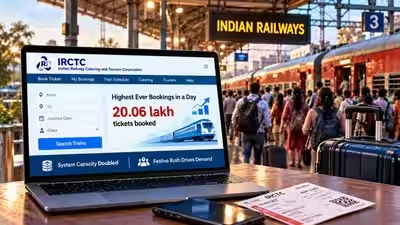
How to Book Train Tickets Online
Online train ticket booking is straightforward when you follow the correct steps. Before you begin, keep your travel date, boarding station, destination and passenger information ready.
- Create an account: Visit the official IRCTC website and complete the individual user registration process if you do not already have an account.
- Log in: Enter your registered username and password.
- Search for trains: Add your starting station, destination and journey date in the train search section.
- Compare train options: Review the available trains, departure times, arrival times, journey duration and route.
- Choose a class: Select a suitable travel class, such as Sleeper, AC 3 Tier, AC 2 Tier or another available option.
- Check availability and fare: Review the current seat availability and fare details before continuing.
- Enter passenger details: Add the required passenger information and check it carefully.
- Make payment: Select an available payment method and complete the transaction.
- Save your ticket details: After successful booking, check the confirmation information and save your electronic reservation details.
The official booking guide explains the process and provides instructions for selecting a train, checking fares and completing payment. However, the exact screens and available options may change over time. Therefore, follow the instructions displayed on the official platform during your booking. 
Choosing the Right Train and Travel Class
The best train depends on your route, schedule, budget and comfort requirements. Instead of selecting the first available option, compare a few trains before making a reservation.
Start by checking the departure and arrival times. A train that leaves at a convenient hour may suit your plans better than one with a slightly shorter journey. Also, consider the total travel duration and whether the train stops at your preferred boarding station.
Next, compare the available travel classes. Sleeper class may suit passengers looking for a more economical reserved journey, while air-conditioned classes offer different comfort levels. Availability, facilities and fares vary by train and route.
If you are travelling with children, older family members or a group, review the available seating and berth options carefully. Remember that a berth preference is a request, not a guarantee. The final allotment depends on availability and railway rules.
Understanding PNR Status and Ticket Confirmation
After booking a reserved train ticket, passengers receive a Passenger Name Record, commonly known as a PNR. This reference number helps you access your reservation details and check the latest booking status.
A confirmed ticket means that a reservation has been allotted. However, a ticket showing RAC or waiting-list status has a different meaning. RAC generally allows travel under the applicable railway rules, while a waiting-list ticket may not provide a confirmed berth. The final status can change as other passengers cancel their reservations and the railway reservation chart is prepared.
Check your PNR status before travelling rather than relying on an old screenshot or message. Also, review the train number, journey date, boarding station and passenger details. These simple checks can help prevent confusion at the station. 
Tatkal Reservation and Last-Minute Travel
Sometimes, travel plans come together at short notice. Tatkal booking may help eligible passengers reserve tickets under the applicable last-minute reservation scheme. However, Tatkal seats are limited and availability can change quickly.
Before trying to book, check the current Tatkal rules, booking timings, eligible classes and passenger requirements on the official IRCTC website. Keep your account ready and enter passenger details accurately. You should also use a reliable internet connection and an accepted payment method.
Do not assume that every train or class offers Tatkal availability. In addition, confirmed Tatkal tickets generally have specific cancellation and refund conditions. Review the current rules before paying for a reservation. 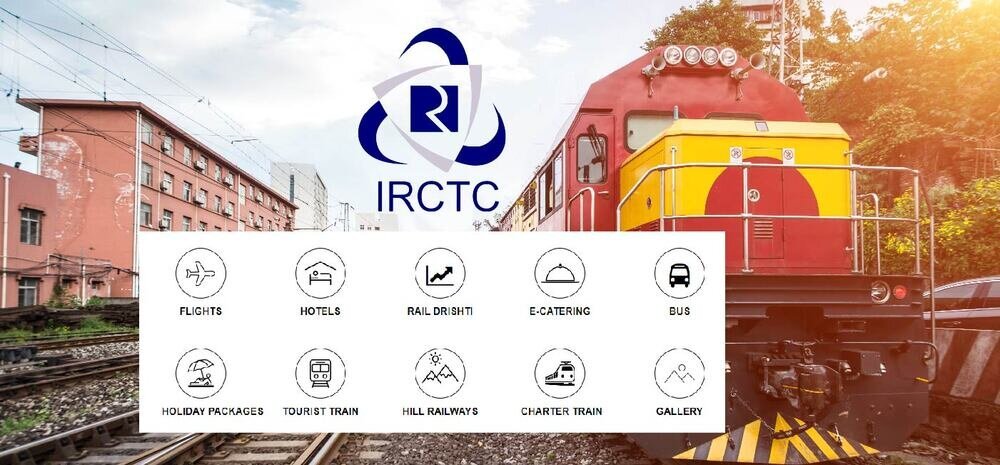
Train Ticket Cancellation and Refund Information
Travel plans can change because of work, weather or personal circumstances. IRCTC provides an online process for cancelling eligible e-tickets through the booked-ticket section of a user’s account.
To begin, log in and open your booking history. Select the relevant ticket, choose the passenger or passengers you want to cancel, and follow the instructions shown on the screen. For a partial cancellation, check the revised reservation details for the passengers who will still travel.
Refund amounts depend on the ticket status, cancellation time and applicable railway rules. Some charges may apply, and certain ticket types have special conditions. For example, confirmed Tatkal tickets generally do not qualify for a normal refund when cancelled voluntarily, subject to the applicable exceptions and rules.
If the reservation chart has already been prepared, the normal online cancellation process may no longer be available. In eligible cases, passengers may need to submit an online Ticket Deposit Receipt (TDR) claim. Check the latest official e-ticket cancellation instructions before taking action.
Useful Travel Checks Before Leaving Home
A successful booking is only one part of a comfortable train journey. A little preparation can help you avoid common travel problems.
- Verify your journey details: Check the train number, boarding point, destination and date.
- Check the latest train status: Look for schedule changes or updates before leaving for the station.
- Carry valid identification: Keep an accepted original photo identity document with you during the journey, as required by railway rules.
- Save your ticket: Keep your electronic reservation details accessible on your phone. You may also keep a backup copy.
- Arrive with enough time: Reach the station early enough to find your platform and coach without rushing.
- Pack thoughtfully: Keep medicines, chargers, water and essential travel items easy to reach.
- Protect your account: Never share your password, OTP, card PIN or other sensitive payment information with anyone.
These small steps can make a big difference, particularly when you are travelling with family or connecting to another mode of transport.
Common Problems During Online Railway Reservations
Passengers may occasionally face issues such as payment delays, failed transactions, login problems or difficulty viewing a booked ticket. If the confirmation page does not appear after payment, avoid immediately repeating the transaction. First, check your booking history and transaction status.
If the ticket appears in your booked-ticket history, save the details. If the payment was deducted but the booking does not appear, review the transaction status and follow the official support instructions. Keep your transaction reference available when contacting customer support.
For login problems, use the official account recovery options. Also, avoid third-party websites that request unnecessary personal or banking information. Using official support channels is a safer way to resolve booking concerns.
How WanderingJunkie Helps You Prepare for Train Travel
At WanderingJunkie, we believe that good travel planning starts before the journey. Understanding train schedules, comparing travel options and keeping important documents ready can help make a trip more organised.
Along with railway travel, readers can explore useful guides about destinations, accommodation, transport and travel preparation. If you are planning a longer holiday, consider how your train journey fits with hotel check-in times, local transport and sightseeing plans.
A little research before departure can help you make better decisions and enjoy more of your time at the destination.
Final Thoughts
IRCTC makes it possible for passengers to manage many railway reservation tasks online, from searching for trains to booking eligible e-tickets and checking reservation details. Still, a smooth journey depends on more than completing a payment. You should verify your PNR status, understand cancellation conditions, carry valid identification and check travel updates before departure.
Use the official IRCTC website for the latest booking information and railway rules. With careful preparation and a clear travel plan, you can make your next train journey across India more convenient. Keep following WanderingJunkie for practical travel information and ideas that help you plan with confidence.